
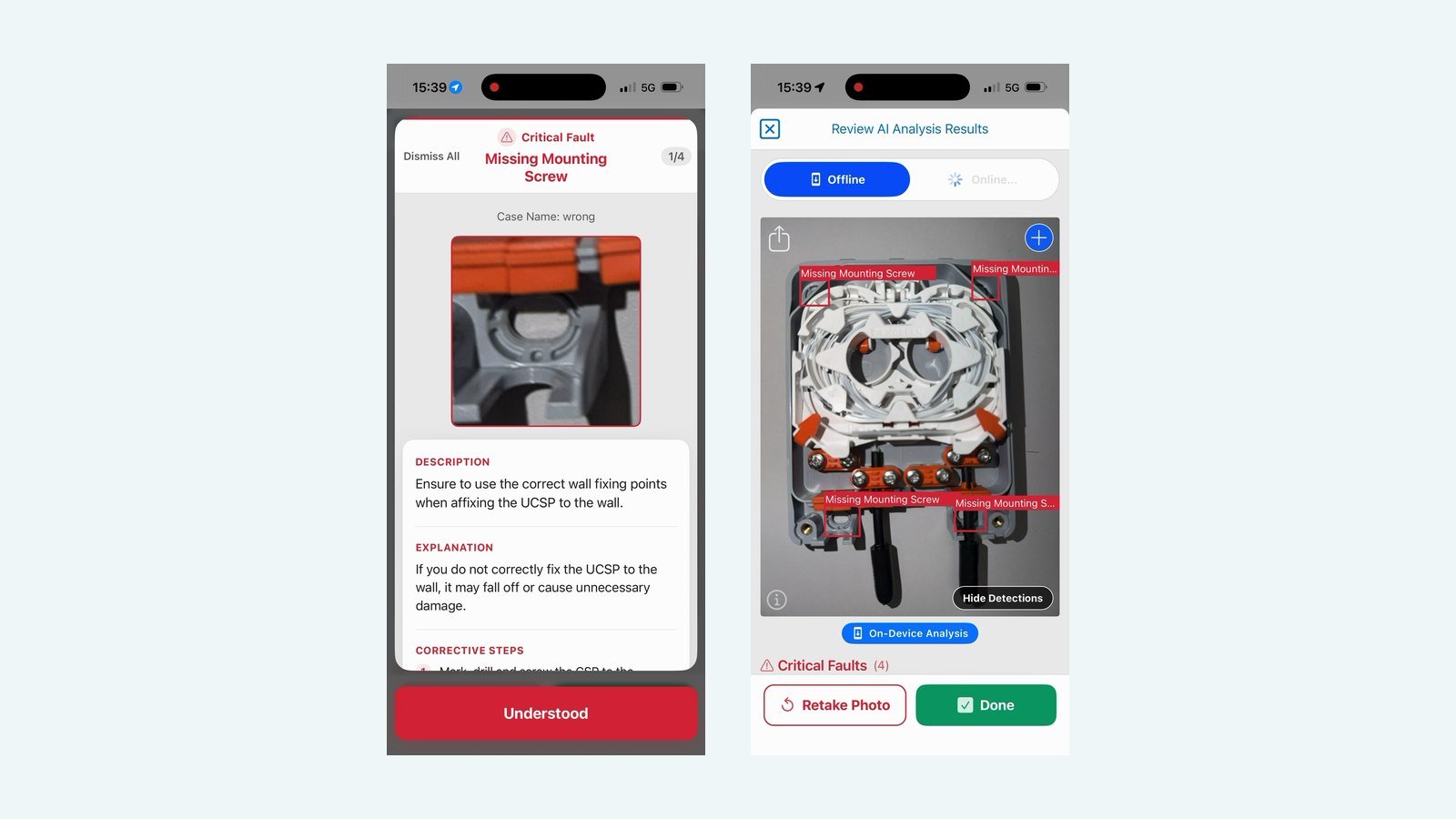
An inspection tool needs to work where the inspection takes place, not just where there is a strong internet connection.
For many field engineers, that is a real constraint. Telecoms and utility work regularly takes place in underground chambers, rural areas, inside buildings and at the edges of networks that are still being built. These are often the places where connectivity is weak or unavailable, and where a tool that depends on a round trip to a server may not be able to help.
Running the model on the device
SkillsBase’s on-device AI approach allows supported computer-vision models to run directly on a field worker’s phone. Once the model has been deployed, the device can analyse inspection images locally rather than sending each image to a remote server for a result.
That changes the practical workflow. An engineer can capture an image and receive feedback while still beside the installation, including in locations where connectivity is limited or unavailable.
Running locally can also make the experience more consistent. The engineer is not waiting for an upload over a weak signal, and the check can become a natural part of the task rather than something left until they return to an area with better coverage. Because each image does not need to be sent away for analysis, the time between taking a photograph and seeing a result is shaped by the device rather than the network.
What works offline and what does not
Offline operation does not mean that every part of the system works without a connection. Training, downloading models and synchronising records remain separate activities. The important distinction is that the inspection itself can continue using the model already available on the device, with results synchronised when connectivity returns.
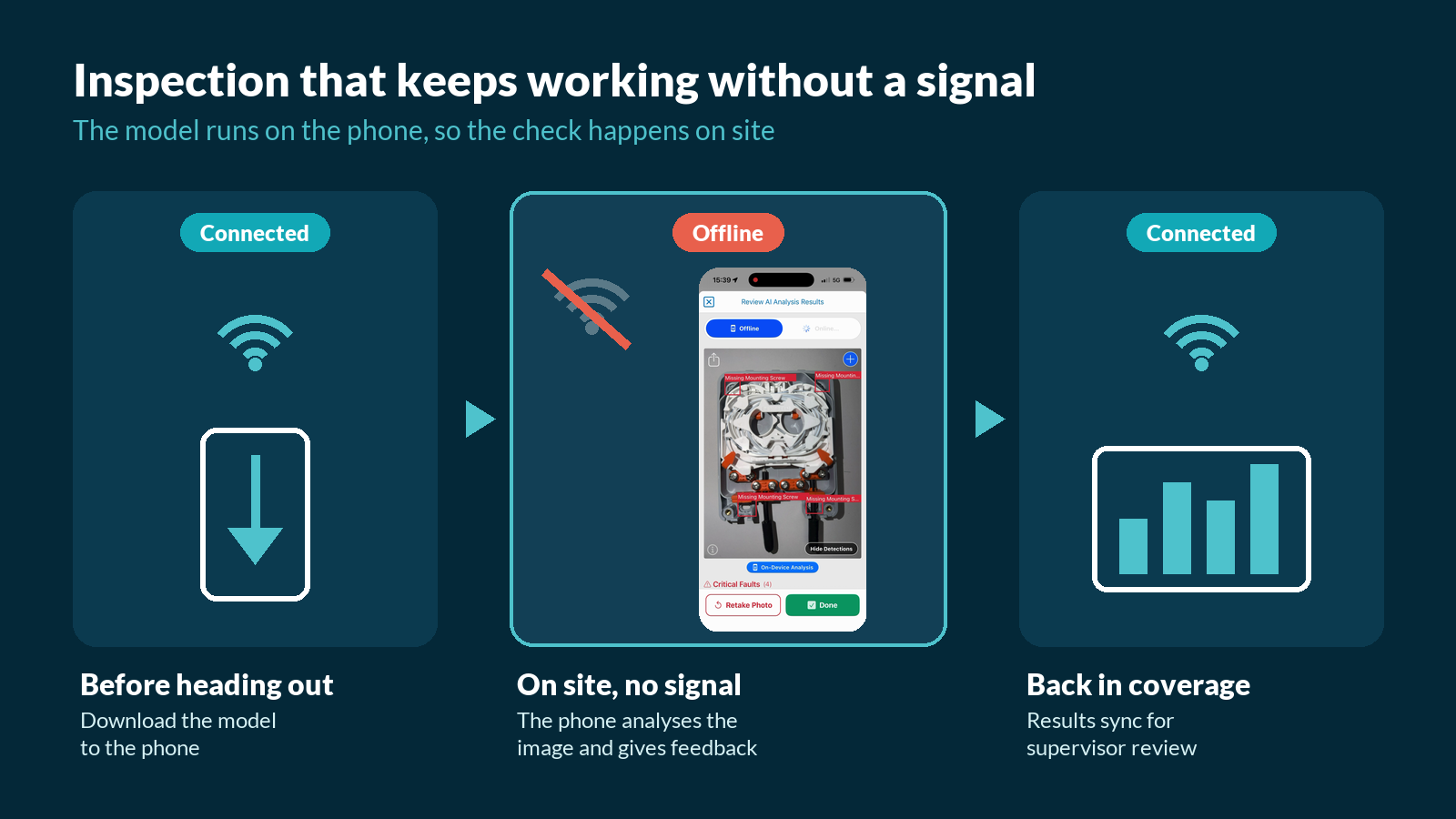
Being clear about this distinction helps teams plan. Models can be downloaded to devices before engineers head out, and records gathered during the day are synchronised once the device reconnects, so supervisors still receive the information they need for review. When a model is updated, the new version can be made available to the team in the same way.
Keeping quality checks close to the work
The aim is to keep quality checks close to the work. Feedback is most useful when the person receiving it can inspect the issue, understand the finding and decide what action to take.
A finding that arrives hours later, after the engineer has left site, is far less useful. It may mean a return visit, or a fault that is not addressed until it affects a customer. Immediate feedback, by contrast, gives the engineer the chance to look again, correct the issue and capture a new image showing the work as completed.
Designed for the device engineers already carry
For SkillsBase, deployment on the actual working device is a central part of making AI useful in the field.
Engineers already rely on their phones for job information, guidance and reporting. Bringing inspection onto the same device keeps the process simple: there is no separate piece of equipment to carry and no change of tool between completing the work and checking it. It also builds on SkillsBase’s experience with mobile learning, where we have seen how much easier it is for people to use support that is available in the place they already look for it.
To discuss offline inspection for your field teams, explore Forge or contact the SkillsBase team.